


Pairing concise technical training videos with repository documentation helps data platform teams prevent the expensive query mistakes that happen when engineers skip long written migration guides. Recently, a data engineering team migrated its core event tables from daily full-refresh snapshots to an incremental date-partitioned model. They wrote a 3,200-word migration guide in the internal wiki, updated the repository README, and posted a link in the analytics Slack channel. Two weeks later, cloud warehouse compute costs still spiked every Monday morning because half of the downstream analysts were querying the new mart without filtering on the partition column.
When the platform lead asked why nobody followed the migration guide, the answer was predictable. The written runbook buried the partitioning requirement under four screens of upstream ingestion notes and YAML configuration diffs. Analysts looking for a quick mental model of what changed did not need a 3,200-word reference manual; they needed a three-minute visual walkthrough showing how the old table mapped to the new mart and which WHERE clause filter was now mandatory.
For analytics engineering, machine learning operations, and data science teams, video walkthroughs work best when they complement, rather than replace, Markdown and Git documentation. Knowing what to keep in text and what to turn into a scene-based clip keeps pipelines clean without forcing engineers to become full-time video editors.
Why Written Runbooks Need Short Technical Training Videos During Migrations
Written documentation is unbeatable for exact syntax lookup, version control diffs, and copy-paste commands. Where static text struggles is conveying spatial architecture and causal sequence, such as how a late-arriving webhook event flows through a staging view, triggers a deduplication macro, and updates an executive revenue dashboard.
As Google’s Technical Writing One documentation guide points out, readers absorb unfamiliar technical systems much faster when high-level conceptual diagrams and plain-language summaries precede dense implementation details. When an engineer opens a 15-page runbook cold, every paragraph carries equal visual weight. A short, three-minute explainer clip pinned at the top of that runbook acts as an architectural map: it shows the three moving parts on a clean canvas, explains why a schema contract changed, and tells the viewer which section of the written doc applies to their role.
Which Technical Artifacts Belong in Video vs Static Git Docs
Nothing frustrates a developer or data scientist faster than being forced to pause a video at 01:48 just to re-type a 14-line SQL query off a blurry screen capture. Before producing internal training clips, separate your team’s technical artifacts by how engineers actually use them:
| Data Team Artifact | Keep in Git / Markdown | Convert to a 3-Minute Video | Operational Reason |
|---|---|---|---|
| SQL Snippets, CLI Flags & YAML Configs | Yes (Primary) | No (Show only 2-line highlights) | Engineers need to copy, paste, and grep exact strings; locking code inside video pixels slows everyone down. |
| End-to-End DAG & Lineage Architecture | Summary diagram only | Yes (Primary) | Walking through upstream sources, staging transformations, and mart dependencies visually prevents mental-model gaps. |
| Schema Deprecation & Partitioning Rules | Reference field table | Yes (Primary) | Explaining why a column was deprecated and showing before-and-after query cost impact changes analyst habits immediately. |
| On-Call Incident Postmortem Walkthroughs | Timestamped log archive | Yes (Primary) | A 3-minute visual replay of how an alert cascaded and how the rollback worked trains new on-call rotations far better than raw log dumps. |
| Feature-Store & Metric Definitions | Canonical formula spec | Yes (Secondary) | Clarifies business logic boundaries (for example, net vs gross churn) for cross-functional product and finance consumers. |
Keeping syntax in Markdown and architectural context in short videos gives both senior engineers and onboarding analysts what they need without duplication.
Translating Architecture Specs into Scene-Level Scripts and Diagrams
When data teams compare technical video training platforms, one of the most common failure points is audio credibility. Engineering leads frequently note that they need text-to-speech software that handles technical jargon for training videos, because generic narration tools routinely misread terms like SQL, dbt, Parquet, DAG, OLAP, and idempotent.
1. Preserve Original Lineage Diagrams and Schema Tables on Canvas
When you convert an architecture PDF or migration deck into a video project, synthetic stock illustrations are worse than useless. An analyst needs to see the actual entity-relationship diagram, the real DAG graph, or the exact table comparing v1_events and v2_events_partitioned. Always enable original-image retention during file ingestion so vetted engineering diagrams transfer directly onto the video slides.
2. Lock Phonetic Pronunciation for Data Jargon and Acronyms
Before rendering scene audio, decide how your team pronounces domain shorthand and lock those rules in the studio’s pronunciation dictionary. For example: – Specify whether SQL is read as “sequel” or “S-Q-L” to match your team’s convention. – Set letter-by-letter readings for acronyms like DAG (“D-A-G”), CDC (“C-D-C”), and PII (“P-I-I”). – Provide phonetic spellings for file formats and properties such as Parquet (“par-kay”), idempotent (“eye-dem-poh-tent”), and varchar (“var-char”).
Fixing five acronyms once at the script bar makes the difference between a walkthrough that sounds like a peer engineer and one that sounds like an automated phone tree.
3. Walk Through the Studio Scene and Script Workflow
Rather than recording ad-hoc screen shares that go stale next sprint, platform leads can turn technical documentation into learning videos by feeding their written migration specs or .pptx architecture decks into AI Video Creator and refining the scenes inside the studio.
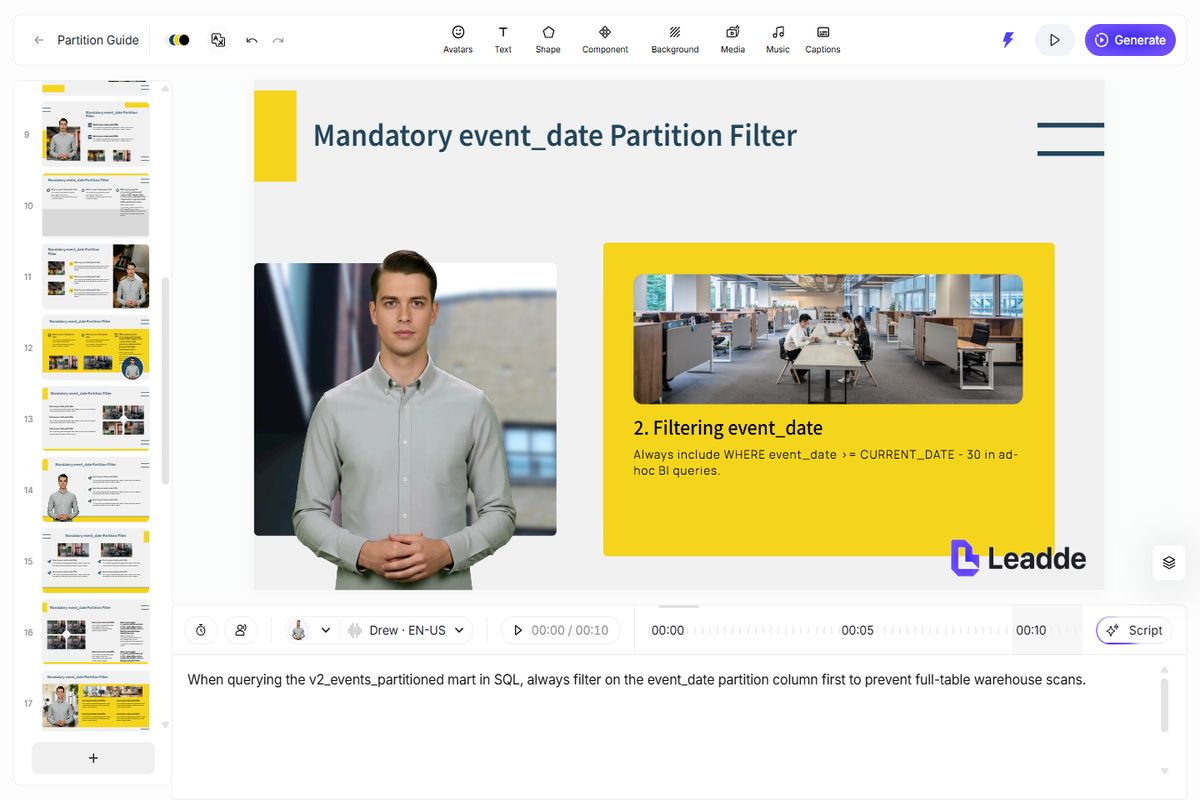
Figure 1: Inspecting a technical architecture slide, adjusting the per-scene narration script, and locking pronunciation rules for data engineering acronyms inside the studio.
Inside the workspace, each logical step of the technical doc becomes a separate slide in the left rail: Scene 1 introducing the deprecation deadline, Scene 2 displaying the DAG lineage diagram, Scene 3 highlighting the required event_date partition filter, and Scene 4 pointing viewers to the Git repository link for migration scripts. If a staff engineer reviews the draft and wants to tighten the wording on Scene 3, the author edits two sentences in the bottom script bar and updates that single scene in under a minute.
Keeping Video Walkthroughs Synchronized with Repo Releases
A common concern when teams evaluate the price range for creating technical training videos is maintenance overhead. Traditional video production is expensive not because of the first recording, but because data platforms evolve every quarter.
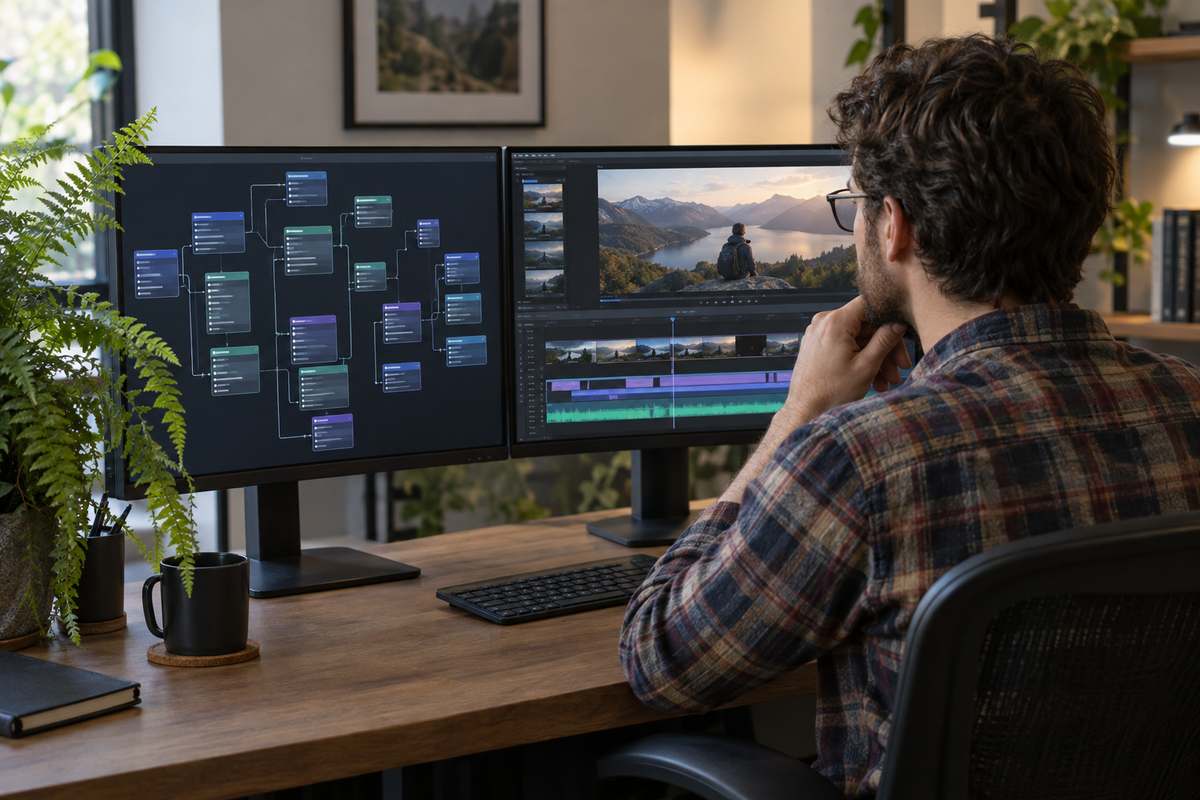
Figure 2: Reviewing scene-level training modules alongside repository pull requests so video walkthroughs stay aligned with current schema contracts.
To keep video documentation synchronized with your codebase without slowing down sprint velocity, treat each video project like a modular doc component:
- Scope each project to 4 to 6 scenes (2-3 minutes): Never combine authentication setup, warehouse lineage, and BI dashboard conventions into a single monolithic file.
- Link the editable studio project in the PR template: When a pull request modifies a core data contract or deprecates a macro, include a checkbox in the PR template asking whether the linked 2-minute overview clip needs a single-scene update.
- Patch only the affected slide: When a table name or retention window changes from 30 days to 90 days, open the saved studio project, update the text callout and script line on Scene 3, and export the revised MP4 without touching the rest of the video.
Four Anti-Patterns to Avoid in Technical Training Videos
If you want engineers and analysts to actually finish the videos embedded in your internal wiki, avoid these four habits:
- Full-screen 4K terminal captures with 8-point text: Nobody watching on a laptop window can read a 200-column terminal window. Zoom in on the exact 4-line block that matters or place it inside a clean, high-contrast canvas callout card.
- Reading table cells top-to-bottom aloud: When displaying a schema mapping table on screen, let the viewer’s eyes scan the rows while the voiceover explains only the two breaking changes that require action.
- Skipping synchronized captions: Engineers frequently watch internal walkthroughs at
1.25xspeed without headphones. Built-in captions make technical nouns and column names unambiguous. - Hiding the written reference link: Always place the video at the top of the Markdown or Confluence page where the copy-paste SQL templates and CLI commands live, so viewers can act on the explanation immediately.