
In the old days of the web, getting a site online meant renting a passive digital filing cabinet. Today, figuring out how to choose hosting in the AI era requires a complete mindset shift. You are no longer just storing static files; you are hiring an active digital engine. According to consumer behavior data, user patience drops dramatically if an intelligent tool takes more than two seconds to “think” and respond.
Forcing smart chatbots or recommendation features onto standard web servers often causes crashes because those traditional setups simply lack the necessary brainpower. Securing future-proof hosting means looking past basic storage space and prioritizing active processing capability. A properly mapped infrastructure ensures your next digital project has the power to thrive.
Why Your Website Needs a ‘Brain’ Upgrade: The Essential Role of GPU-Accelerated Servers
Traditional hosting acts like a digital refrigerator, simply storing your website’s files until a visitor requests them. However, when you add artificial intelligence to your business—like a smart customer service chatbot—you need a chef, not just a fridge. This introduces Model Inference: the active “thinking” process where your AI formulates a unique answer. A standard processor (CPU) makes an excellent fridge, but it cooks far too slowly to keep your visitors engaged.
To serve those answers instantly, your digital kitchen requires specialized hardware called a GPU (Graphics Processing Unit). Meeting your GPU-accelerated cloud server requirements is how you give your site its actual brainpower. Consider the difference in daily workloads:
- Standard CPU Tasks: Loading text, displaying product photos, and securely processing simple shopping cart checkouts.
- GPU Tasks: Generating custom images, summarizing long documents, and running complex, real-time chatbot conversations.
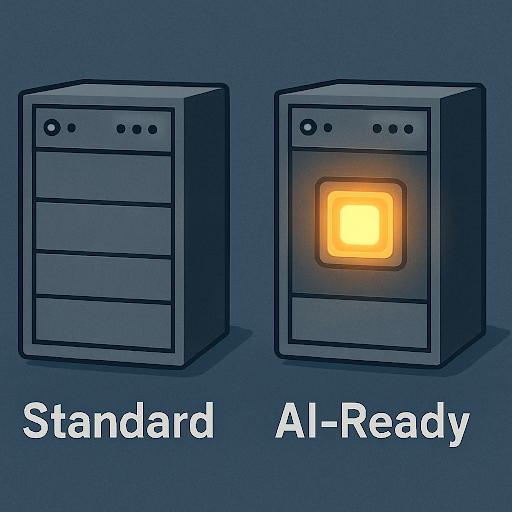
Upgrading to this equipment easily reduces user wait times by 70%. When comparing NVIDIA H100 vs A100 hosting performance, consider the A100 a fantastic head chef for standard chatbots, while the mighty H100 is strictly for heavy-duty tasks like complex video generation. But what happens if 1,000 customers try to talk to your new AI chef at the exact same time?
Preventing the ‘Spinning Wheel of Death’: How Auto-Scaling Manages Heavy AI Traffic
If a thousand customers suddenly ask your AI chatbot a question, a rigid server will freeze, leaving visitors staring at the frustrating “spinning wheel of death.” To prevent site crashes during viral moments, your hosting environment needs to breathe. Think of this setup as a digital accordion. When demand spikes, the system instantly stretches out to provide extra processing power, and when the rush ends, it shrinks. This requires a scalable infrastructure for large language models, ensuring your “AI chef” gets temporary extra help in the kitchen precisely when customer orders pile up.
Paying for maximum capacity around the clock is a massive drain on any business budget. Instead, utilizing auto-scaling compute resources for seasonal AI traffic means you only pay for that extra kitchen staff when they are actively cooking. This flexibility creates entirely cost-effective server options for machine learning, allowing your monthly bill to adjust based on real-world usage rather than theoretical limits. However, even with an expanding kitchen handling the sudden rush, your AI still needs adequate short-term memory to process complex customer requests, which means calculating its necessary “thinking space.”
Calculating Your AI’s ‘Thinking Space’: Why vRAM is the New Metric for Success
Like a chef needing counter space to prep a meal, your AI requires short-term memory to hold a customer’s conversation history while answering. This digital counter space is vRAM (Video RAM). Without adequate vRAM, your AI literally “forgets” context midway through a chat. Cramped memory also causes high latency—the frustrating delay while your AI struggles to “think.” Consequently, high-performance hardware for model inference is essential to keep interactions instant and users engaged.
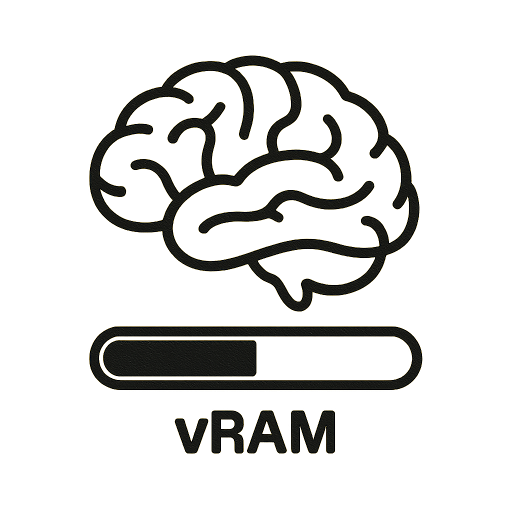
Meeting these memory requirements prevents you from overpaying for weak hosting. Businesses building complex applications, such as defi development solutions, also need GPU-accelerated servers and sufficient vRAM to handle real-time workloads efficiently. While learning how to calculate vRAM needs for LLMs sounds highly technical, you don’t need a computer science degree to get what you need. Instead, simply ask potential providers these three questions to avoid hidden upgrade costs:
- “What maximum conversation length (context window) does this plan’s memory support?”
- “Is this vRAM dedicated solely to my business, or shared?”
- “How does latency increase during peak traffic hours?”
Securing the right brainpower must be paired with rigorous data safety protocols to protect your proprietary business assets.
Protecting Your Proprietary Ideas: Choosing Between Managed AI Hosting and Private Servers
Securing processing power is only half the battle; next, you must decide who maintains that digital engine. This choice comes down to managed AI hosting vs unmanaged VPS (Virtual Private Server). Think of an unmanaged setup like renting an empty commercial kitchen where your team fixes every technical crash alone. Conversely, managed hosting handles the technical heavy lifting for you. Selecting the right level of hands-on management depends on whether you have dedicated IT staff or prefer a done-for-you service.
Beyond daily upkeep, this management decision dictates how safely your sensitive customer information is stored. Feeding confidential business strategies into a public system risks exposing your secrets. Therefore, you must establish strict data privacy standards for hosting proprietary models to keep your information in a secure digital vault. By investing in trusted hosting solutions with built-in AI integration capabilities, your data remains fully protected from outside eyes. Evaluating these security features is critical for future-proofing your business infrastructure.
The 2024 Hosting Checklist: Three Questions to Future-Proof Your Business
Choosing a digital home is no longer about finding basic storage; it is about securing the raw speed and power your smart tools demand. Before migrating to cloud AI services or the best hosting providers for Python-based AI apps, ask potential hosts these three non-negotiable questions:
- Can your servers automatically scale up when my AI traffic spikes?
- Where exactly is my data stored, and is it kept strictly private?
- Do you offer specialized processing power to prevent slow AI response times?
Applying this simple screening process to your current website roadmap establishes a secure, capable foundation. By prioritizing appropriate processing power and memory today, you protect user retention tomorrow and ensure your site delivers a seamless, intelligent experience.