Businesses today rely heavily on data to make smarter decisions, improve operations, and stay competitive. That is why Microsoft Power BI has become one of the most popular business intelligence and analytics tools worldwide. From startups to large enterprises, organizations use Power BI to transform raw data into interactive dashboards and meaningful insights.
However, before adopting the platform, one common question businesses ask is: How much does Power BI cost?
In this detailed Power BI pricing 2026 guide, we will break down all Power BI pricing plans, features, licensing options, and hidden costs to help you choose the right plan for your business.
What Is Power BI?
Microsoft Power BI is a cloud-based business analytics platform developed by Microsoft. It allows businesses to:
- Connect multiple data sources
- Create interactive dashboards
- Generate real-time reports
- Analyze business performance
- Share insights across teams
Power BI is widely used in industries like finance, healthcare, retail, manufacturing, logistics, and education because of its scalability, AI-powered analytics, and Microsoft ecosystem integration.
Power BI Pricing 2026 Overview
Microsoft offers several pricing options depending on business size, collaboration needs, and reporting requirements.
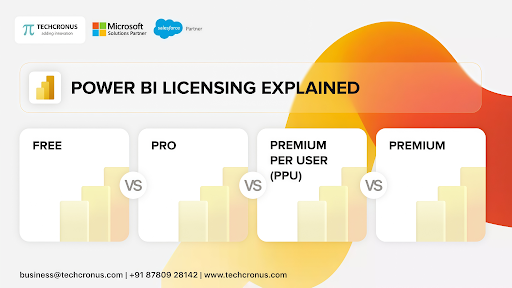
Here is a quick overview of the latest Power BI pricing 2026 plans:
| Plan | Pricing | Best For |
| Power BI Free | Free | Individual users |
| Power BI Pro | Around $14/user/month | Small to medium businesses |
| Power BI Premium Per User (PPU) | Around $24/user/month | Advanced analytics users |
| Microsoft Fabric / Power BI Capacity | Variable enterprise pricing | Large enterprises |
According to Microsoft’s official pricing page, Power BI Pro and Premium Per User remain the most commonly used plans for organizations in 2026.
1. Power BI Free Plan
The Power BI Free version is ideal for individuals who want to explore dashboards and basic reporting capabilities.
Features Included
- Report creation
- Data visualization
- Access to Power BI Desktop
- Connect multiple data sources
- Personal dashboard usage
Limitations
- No collaboration features
- Cannot share reports with teams
- Limited cloud capabilities
- No advanced AI features
The free plan works best for freelancers, students, or businesses testing the platform before investing in paid licenses. Many individual users also leverage this free tier alongside a Microsoft Power BI Practice Test to sharp-shoot their data analysis skills and prepare for official certifications at zero software cost.
2. Power BI Pro Pricing
The most popular plan in the Power BI pricing 2026 structure is Power BI Pro.
Microsoft currently prices Power BI Pro at approximately $14 per user/month when billed annually.
Key Features
- Report sharing and collaboration
- Workspace management
- Data refresh scheduling
- Advanced dashboard publishing
- Microsoft 365 integration
- Mobile app access
- Security and governance tools
Best For
Power BI Pro is ideal for:
- SMEs
- Growing businesses
- Sales teams
- Marketing departments
- Organizations needing collaboration
If your employees need to create, share, and collaborate on reports regularly, Pro licensing is usually the best starting point.
3. Power BI Premium Per User (PPU)
Power BI Premium Per User is designed for organizations needing enterprise-grade analytics without investing in full enterprise capacity licensing.
The estimated Power BI pricing 2026 for PPU is around $24 per user/month.
Premium Features Included
- AI-powered analytics
- Larger dataset support
- Paginated reports
- Enhanced performance
- Advanced dataflows
- Increased refresh limits
- Enterprise semantic models
Best For
PPU works well for:
- Data analysts
- BI developers
- Large reporting teams
- Organizations using AI analytics
- Businesses with complex datasets
Many businesses choose PPU when Pro features become limiting but enterprise capacity pricing feels too expensive.
4. Microsoft Fabric and Enterprise Capacity Pricing
In recent years, Microsoft has integrated Power BI deeper into Microsoft Fabric. This has changed enterprise licensing significantly.
Instead of traditional Premium capacity licensing, businesses now use Fabric capacities (F-SKUs).
Enterprise Pricing
Enterprise pricing varies depending on:
- Capacity units
- Storage usage
- Data processing needs
- Number of report consumers
Some enterprise-level Fabric capacities can cost thousands of dollars monthly. Reports suggest that F64 capacity is often considered the tipping point for large-scale enterprise deployments.
Benefits of Fabric Capacity
- Unlimited report viewers
- Enterprise AI features
- Better scalability
- Centralized governance
- High-performance analytics
- Copilot integration
This model is ideal for enterprises with hundreds or thousands of report consumers.
Hidden Costs in Power BI Pricing
Many businesses only look at license costs while ignoring implementation and maintenance expenses.
Here are some hidden costs businesses should consider:
1. Power BI Development
Creating advanced dashboards often requires experienced Power BI developers.
2. Data Integration
Connecting ERP, CRM, cloud apps, and databases may require additional tools or APIs.
3. Training Costs
Employees may need Power BI training to use the platform effectively.
4. Infrastructure Costs
Large datasets and enterprise analytics may increase storage and cloud usage costs.
5. Governance & Security
Advanced compliance and governance configurations may require additional consulting.
Several industry discussions also mention that organizations often underestimate Fabric-related scaling costs during enterprise expansion.
Power BI Pricing 2026: Which Plan Should You Choose?
Choosing the right Power BI plan depends on your business size and analytics goals.
Choose Power BI Free If:
- You are learning Power BI
- You work individually
- You do not need collaboration
Choose Power BI Pro If:
- Your team collaborates frequently
- You need to share a report
- You are a small or medium-sized business
Choose Premium Per User If:
- You require advanced AI analytics
- You handle large datasets
- You need enterprise reporting features
Choose Microsoft Fabric Capacity If:
- You have enterprise-scale reporting
- Hundreds of users consume dashboards
- You need a centralized analytics infrastructure
Is Power BI Worth the Cost?
For most businesses, the answer is yes.
Compared to many traditional BI tools, Power BI offers:
- Strong Microsoft ecosystem integration
- Competitive pricing
- Powerful visualization tools
- AI-driven analytics
- Enterprise scalability
It also integrates smoothly with:
- Microsoft Dynamics 365
- Excel
- Azure
- SharePoint
- Salesforce
- SQL Server
This makes it highly valuable for organizations already using Microsoft technologies.
Final Thoughts
As data-driven decision-making continues to grow, businesses need scalable and affordable analytics platforms. This complete Power BI pricing 2026 guide shows that Microsoft offers flexible pricing options for everyone — from individual users to large enterprises.
Whether you choose Power BI Free, Pro, Premium Per User, or Microsoft Fabric capacity, the right plan depends on your reporting needs, team size, and long-term business goals.
Before making a decision, businesses should carefully evaluate:
- Number of users
- Collaboration needs
- AI requirements
- Dataset size
- Long-term scalability
With proper implementation and planning, Power BI can deliver significant ROI through better reporting, faster insights, and improved business intelligence capabilities.