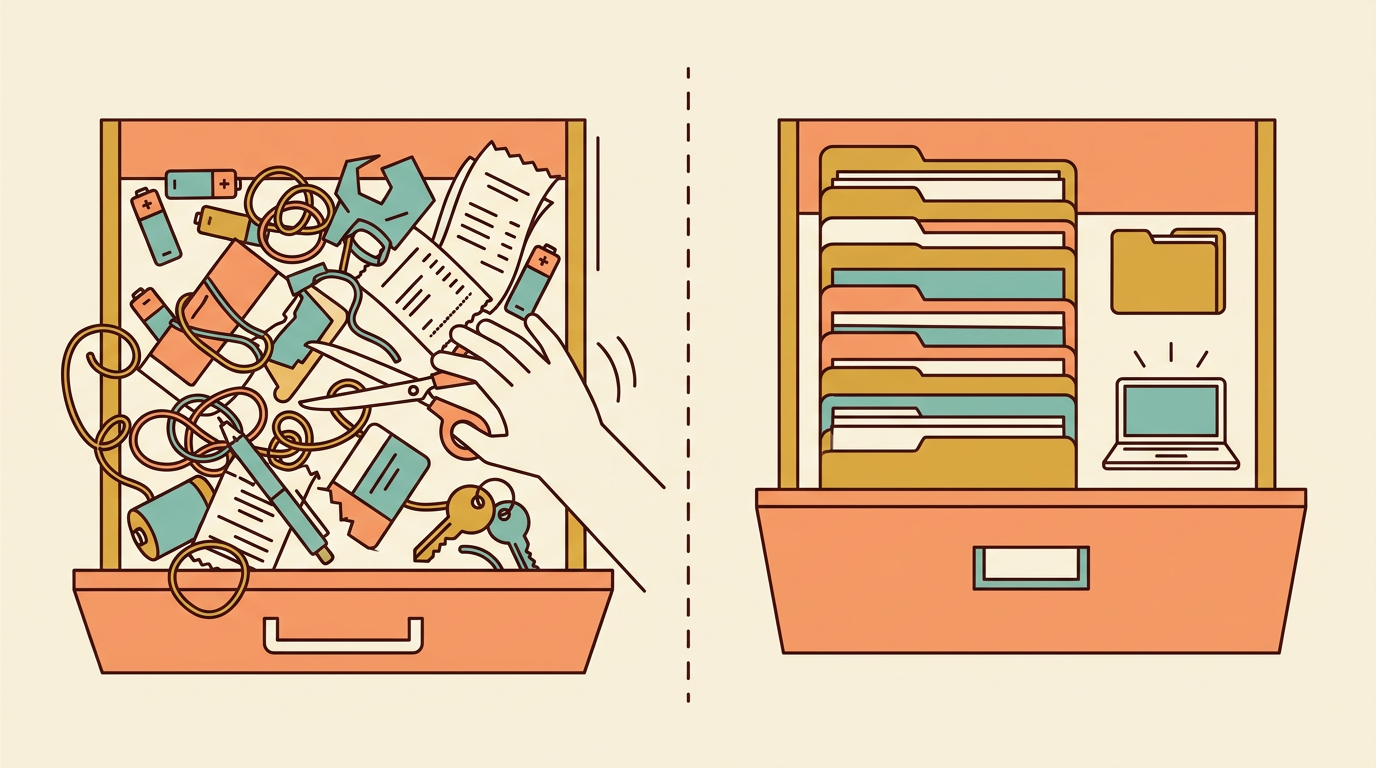
Think about the junk drawer in your kitchen. It works, sort of, until you’re digging through it for scissors during a Sunday dinner emergency. Plenty of schools run their record keeping the same way, and it holds up fine until it doesn’t.
Paper and digital record keeping both work. The real question is which one fits how your school actually operates day to day.
This post walks through the real costs, the moments each system earns its keep, and what switching actually looks like once you get past the pitch.
What Paper and Digital Record Keeping Actually Cost
A blank attendance register looks free, and a software subscription looks like a new bill. Neither impression holds up once you look at a full year instead of a single purchase. The real comparison is total time and risk, not the price tag on day one.
The hidden expenses of paper
Paper’s costs hide in plain sight:
-
a filing cabinet’s worth of storage space
-
the staff hours spent pulling and refiling folders
-
the ten minutes lost hunting for one student’s file during a parent meeting
None of that shows up on an invoice, but it adds up week after week.
Physical files also degrade. Pages tear, ink fades, and folders get misfiled in the wrong drawer or the wrong year.
Consider a school secretary who spends a Friday afternoon reconstructing a health record because the original went missing during a classroom move.
If that register is lost or damaged beyond recovery, the information isn’t backed up somewhere else. It’s simply gone.
Where digital spending goes
Digital record keeping moves the cost from hidden hours to a visible line item.
A tool like EMStudio comes with a predictable subscription fee and occasional hardware replacement (a tablet here, a laptop there), both of which you can actually budget for months in advance.
The other digital cost is training time: getting a staff room comfortable with a new system. It’s real, but it’s a one-off. Once habits settle, that upfront effort pays back in fewer misplaced files and faster searches.
Worth noting: a small school with steady enrollment often loses less to paper’s inefficiencies than a large or fast-growing one, where the sheer volume of files makes every hidden cost multiply.
When Paper Is Still the Right Call
Digital record keeping isn’t automatically the better system. For plenty of schools, paper still does the job, and switching would create problems that didn’t exist before.
Infrastructure gaps that force paper
A digital system only works if the infrastructure behind it does. Schools with unreliable electricity or internet can’t count on logging attendance or grades the moment class starts: the connection drops, and that data has to wait.
For example, a rural elementary school with one shared laptop cart can’t have five teachers all trying to record attendance during the same ten-minute window between periods.
Scarce devices create a bottleneck exactly when everyone needs them most, and paper never asks you to wait your turn.
Trust and staff comfort
Size matters too. In a very small school where one teacher knows every student’s name, grade, and home situation without opening a folder, digital tracking may not add enough value to justify the disruption of switching.
Paper also carries a kind of safety digital can’t promise: no risk of vendor lock-in, a data breach, or a company shutting down and taking years of records with it. And comfort matters.
A teacher three years from retirement has earned the right to be skeptical about relearning an entire workflow for a system they’ll use briefly.
Some staff genuinely work faster with a pen and a paper roster, and pushing them off it slows the whole school down.
The fix usually isn’t all-or-nothing. A hybrid approach lets paper stay where it’s reliable and hands the rest to digital tools like EMStudio.
What Digital Actually Gives You Back
Paper isn’t disorganized because teachers are careless. It’s disorganized because paper was never built to be searched, totaled, or backed up.
Go digital and those unglamorous tasks change first, often before the bigger wins show up, and it’s worth seeing exactly what we mean.
Time saved on routine tasks
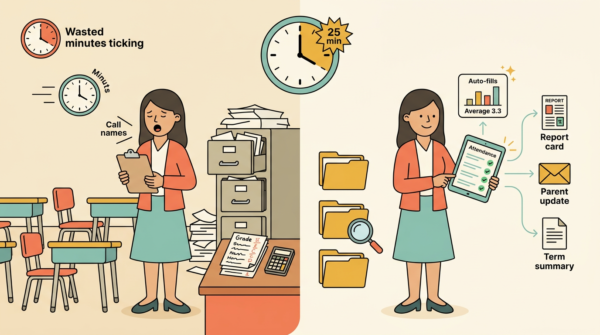
Think of a homeroom teacher who spends the first five minutes of every period calling names and tallying who’s missing. Attendance tracking that flags absences the moment they’re logged gets that time back, every single day.
The same goes for marking-period math: instead of adding up totals and averages by hand on a Friday night, the system does it the moment a grade goes in.
Records become searchable in seconds, too. No more walking to a filing cabinet to find one student’s file from September.
And because the data’s entered once, it can feed straight into report cards, parent updates, and end-of-term summaries without anyone retyping a single number.
Seeing problems sooner
Paper buries a trend across a stack of separate sheets. Digital puts weeks side by side, so a pattern is visible instead of hidden.
A student’s declining attendance, for instance, shows up as a shape on a chart long before it would ever surface in a paper register, giving a teacher time to act instead of just react.
It also means a head of year sees the exact same data a class teacher sees, at the same time, instead of waiting on a folder to be handed over.
And if a laptop takes a coffee spill, or a filing room floods, the records survive because they were never sitting in just one place.
How Schools Actually Make the Decision
The switch rarely comes from a district mandate or a slick sales pitch. It usually starts with one frustrated teacher digging through a filing cabinet for last term’s attendance sheet, or an administrator hitting a paperwork wall during an audit.
From there, the smart move isn’t to digitize everything at once. It’s to map which records cause the most pain first.
Auditing your current workflow
Start with a plain list: every record you keep, and how often anyone actually goes back to look at it.
-
Attendance
-
Grades
-
Behavior notes
-
IEP updates
-
Parent communication logs
Some of these get checked daily. Others sit untouched until report cards.
Once that list exists, the pattern usually jumps out. Identify the two or three records that eat the most time to find or update: the ones a teacher grumbles about weekly, not the ones that are merely inconvenient once a semester.
Those are your starting point, not the whole system.
Getting staff on board
Abstract benefits don’t move anyone. Showing a teacher their own week, before and after, does.
For example, a homeroom teacher who spends twenty minutes each Friday transferring paper notes into a spreadsheet can see, in minutes, what that Friday looks like with a tool like EMStudio handling the transfer automatically.
The real resistance is rarely about the tool itself. It’s the fear of extra work layered on top of an already full day. Address that head-on, and involve the teachers filling in records daily, not just the administrators signing the contract.
Then run a small pilot with one class or one grade before committing the whole school.
What the Switch Looks Like Week by Week
No school moves from a filing cabinet to a screen overnight. The switch happens in stages, and the messiest one is the middle stretch where paper and digital run side by side while everyone gets used to the new system.
The parallel period
For the first term, keep paper as your fallback. If a login fails or a spreadsheet gets corrupted, you still have the physical record to lean on, and that safety net is worth the extra minutes it costs you each day.
Tools like EMStudio let a single teacher start logging attendance and grades digitally without waiting on a school-wide rollout, so the parallel period doesn’t have to depend on anyone else’s timeline.
Set a clear cutover date before you start, though. Open-ended double work can drag on indefinitely if nobody names the day paper stops being the primary record.
Expect a temporary dip in speed in those first weeks: entering the same thing twice is slower than entering it once, and that’s normal before the new workflow overtakes the old one.
Deciding what to migrate
Not every past record needs typing in. Only the ones you actively reference, like grade histories for returning students, are worth entering by hand. Everything else can be scanned and archived rather than transcribed.
A clean start from the current term is often simpler than backfilling years of data. Historical records rarely all get digitized, and deciding what stays in the cabinet is a normal, sensible call, not a failure.
Keeping Records Safe Whichever You Choose
Whichever system you land on, the safety questions don’t go away: they just change shape.
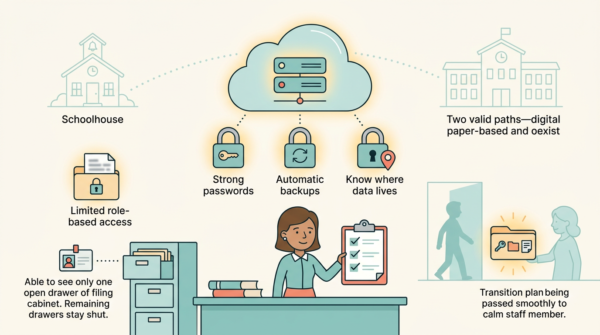
A locked filing cabinet and a password-protected database are solving the exact same problem in different languages, and student data laws apply just as firmly to a folder in a drawer as they do to a record in a database.
Protecting physical files
Paper records need three things: fireproof storage, controlled access, and a clear rule about who’s allowed to remove a file from the building.
Keep original documents separate from the working copies your staff pull daily, and log who opens a sensitive file and when.
Think of a school secretary who keeps enrollment originals in a fireproof cabinet down the hall, while a working folder on her desk handles the day-to-day requests. That separation means one coffee spill or one nosy visitor can’t wipe out your only copy.
Here’s the real risk, though: a single unbacked register, whether it’s attendance or health records, is your biggest point of failure. If it burns, floods, or simply goes missing, there’s nothing behind it.
Locking down digital data
Digital records shift the same three needs into new form: strong passwords, regular backups, and knowing exactly where your data physically lives.
Before you commit to a platform, confirm it backs up automatically and that you can export your own data whenever you need it. A tool like EMStudio handles both of those quietly in the background, which is one less thing for a busy teacher to track.
Limit access by role so a substitute or aide sees only what they need, not every student’s full file.
And put a written plan in place for when a key staff member leaves and takes their institutional knowledge with them: passwords, folder structures, the quiet habits that kept things running.
There’s no universally right answer here, and that’s the point. A small school with a tight-knit office might run beautifully on paper for years.
A growing district juggling multiple campuses might need digital just to keep everyone looking at the same information.
Tools like EMStudio can make that shift smoother, but the system only works if it matches how your staff actually move through their week.
Get the unglamorous details right, the backups, the training, the transition timeline, and either system can serve your students well. Get them wrong, and no amount of software fixes it.