
How Nano Banana Fits Creator Workflow
The transition from generative AI as a novelty to generative AI as a production tool has been remarkably fast. For creators, the challenge is no longer finding a tool that can “draw a cat,” but finding a system that can produce 500 cohesive brand assets without breaking the workflow. This is where the distinction between a simple generator and a structured environment like Nano Banana becomes critical for professional output.
Most creative operations fail at the handoff stage. You generate a concept, but moving that concept into a high-fidelity editor or a video suite usually involves multiple exports, loss of metadata, and a fragmented feedback loop. By integrating tools like Nano Banana Pro into a singular canvas, the goal shifts from isolated “prompting” to integrated asset management.
Moving from Ideation to Asset Production
In a traditional design workflow, the cost of exploration is high. Sketches take time; mood boards require manual curation. With Banana Pro, the cost of exploration drops to near zero, which paradoxically makes the creator’s job harder because they must now filter through an abundance of choices.
The strategic creator uses Banana AI as a high-speed filtering layer. Instead of trying to get the perfect result on the first try, they use Nano Banana Pro to generate a wide variety of directional concepts. This “shotgun approach” allows for a rapid narrowing of the creative direction before any serious manual hours are invested in polish.
Integrating Nano Banana into Daily Sprints
For social media managers or performance marketers, the daily sprint requires a volume of content that manual design cannot sustain. Nano Banana serves as the primary engine for this high-throughput environment. Because it is optimized for speed, it fits into the “rough draft” phase of a morning stand-up or a creative brainstorming session.
The real utility appears when you stop treating the AI as an artist and start treating it as a component of a larger machine. For instance, a creator might use Nano Banana Pro to generate several background variations for a product shot. These backgrounds aren’t the final product; they are raw materials that will eventually be layered with high-resolution photography and typography.
The Canvas Workflow: Why Centralization Matters
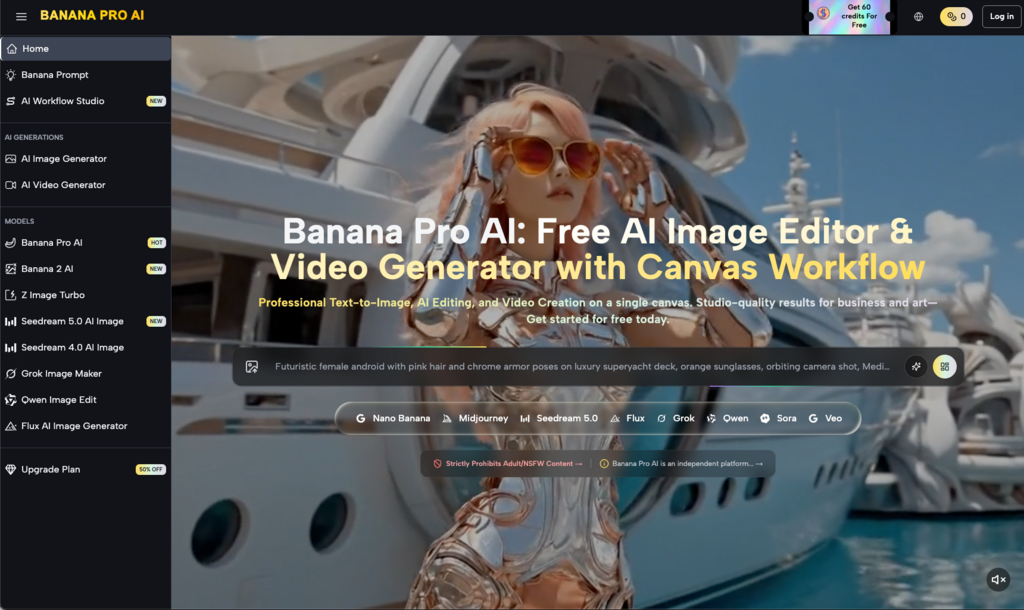
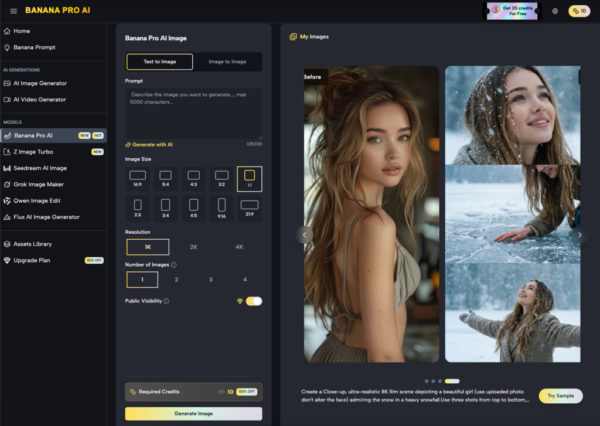
One of the primary frustrations in the current AI landscape is the “tab-switching tax.” One site generates images, another edits them, and a third handles video. This fragmentation leads to a disjointed creative process. The Banana AI environment attempts to solve this by providing a unified canvas where different models can be invoked based on the specific needs of the project.
When a designer is working on a complex layout, they need an AI Image Editor that doesn’t require them to leave their current context. Having the editor integrated directly with the generation engine allows for immediate in-painting or out-painting. This is particularly useful when an image is “almost perfect” but needs a slight adjustment to the lighting or the composition to fit a specific aspect ratio.
Managing High-Fidelity Outputs with Banana Pro
As the project moves from the draft phase to the delivery phase, the technical requirements change. High-speed models are replaced by high-fidelity models. This is where Banana Pro becomes the workhorse. It provides the depth and detail required for large-scale prints or high-definition digital displays.
However, even with high-fidelity models, creators must exercise caution. We have found that while these models are excellent at textures and lighting, they can occasionally struggle with specific anatomical details or text legibility. This is a known limitation of current transformer-based architectures. A professional workflow must include a human-led quality assurance step to catch these artifacts before they reach the client or the public.
Building a Repeatable Video Pipeline
Video remains one of the most resource-intensive aspects of content creation. Traditional pipelines involve storyboarding, filming, and extensive post-production. Integrating AI video tools into this pipeline isn’t about replacing the editor; it’s about expanding the editor’s toolkit.
The workflow typically begins with an image. A static asset generated via Nano Banana Pro provides the visual “anchor” for the video. By using an image-to-video approach, the creator ensures that the motion remains grounded in the established aesthetic. This is far more reliable than text-to-video, which can often hallucinate entirely new environments that don’t match the preceding frames.
Bridging Static Images and Motion
The gap between a static JPEG and a five-second MP4 is where many projects lose their way. Consistency is the primary hurdle. If you generate an image of a character in Banana Pro and then ask a video engine to animate it, there is always a risk that the character’s features will shift during the motion.
To mitigate this, successful creators often use a “progressive refinement” strategy. They start with a low-resolution motion test to see how the AI interprets the physics of the scene. If the motion is fluid and logical, they then move to a higher-fidelity render. This saves time and credits, preventing the frustration of waiting for a high-res video only to find that the subject’s arm disappears into their torso halfway through the clip.
Technical Realities and Operational Limitations
It is important to maintain a grounded perspective on what these tools can actually do. Despite the marketing surrounding many generative platforms, there are inherent bottlenecks that any creator team must plan for.
The Constraints of Browser-Based Rendering
While the convenience of a browser-based AI Image Editor is undeniable, it does not replace a local high-end workstation for all tasks. Large-scale batch processing or complex multi-layered compositing can still tax browser memory. Creators should be aware that working with dozens of high-resolution layers simultaneously may lead to performance degradation. It is often better to process elements individually and then bring them together in a dedicated layout tool if the project complexity exceeds a certain threshold.
Furthermore, internet stability remains a silent killer of productivity. Because these models run on remote GPU clusters, a momentary dip in connectivity can interrupt a long video generation. This uncertainty is something that production leads must account for when setting deadlines.
Dealing with Model Stochasticity
AI is probabilistic, not deterministic. This means that even with the same prompt and the same seed, slight variations in model state can produce different results. This lack of perfect repeatability is a significant challenge for creators who need to maintain strict brand guidelines.
When using Nano Banana Pro for a long-term campaign, it is advisable to create a “style guide” of prompts and reference images. Even then, expect a certain percentage of “waste” in the output. A successful workflow accounts for this by over-generating in the initial stages—producing ten options for every one final asset required.
Strategic Implementation for Content Teams
For agencies and content teams, the adoption of Banana AI shouldn’t be an ad-hoc decision by individual designers. It should be a strategic implementation that defines how credits are allocated and which models are used for which tiers of work.
Tier 1: Internal Ideation and Mockups. Use Nano Banana for rapid-fire visual brainstorming. These assets don’t need to be perfect; they just need to communicate an idea to the team.
Tier 2: Client Presentations. Use Banana Pro to generate polished, high-fidelity concepts that look like finished work. This helps the client visualize the final product without the agency spending forty hours on a pitch.
Tier 3: Final Delivery. Use a combination of the AI Image Editor for fine-tuning and manual design software for typography, logo integration, and final color grading.
By categorizing work in this way, teams can manage their resources more effectively. They avoid “over-spending” high-fidelity credits on internal drafts while ensuring that the final output meets professional standards.
The Human Element in an Automated Loop
The most effective creators in the age of AI are those who see themselves as curators and directors rather than just “prompters.” The AI provides the raw creative energy, but the human provides the intent and the structural integrity.
When you use Nano Banana, you are essentially collaborating with a very fast, very talented, but sometimes very literal assistant. Your job is to give clear instructions, recognize when the assistant has gone off-track, and know when to take the “brush” back into your own hands.
Whether it’s using an AI Image Editor to fix a stray pixel or adjusting a prompt in Nano Banana Pro to get the lighting just right, the creator remains the central node of the workflow. The tools are there to remove the friction of execution, allowing the creator to focus on the higher-level strategy of storytelling and brand building.
Ultimately, the goal of integrating these tools into a repeatable workflow is to regain time. Time that was previously spent on repetitive masking, searching for stock photos, or manual rotoscoping can now be spent on conceptualizing better campaigns and more engaging narratives. The “Banana” ecosystem is simply the engine that makes that shift possible, provided the operator knows how to steer.