
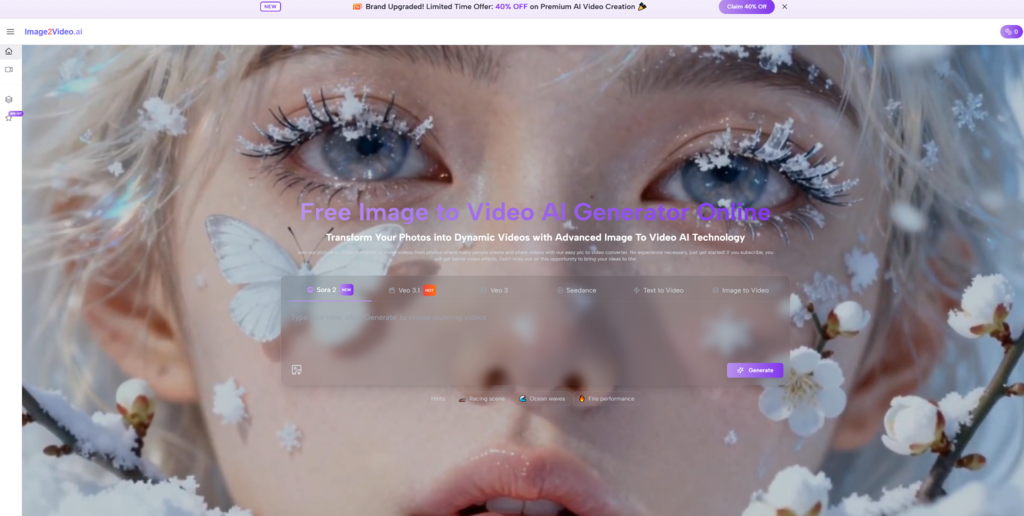
Many people have a striking still image but no practical way to turn it into motion without opening a complicated editing timeline, learning animation software, or stitching together clips by hand. That gap is exactly where Image to Video AI becomes interesting. It takes a static image, combines it with a text prompt, and turns that combination into a short video, which makes the leap from idea to moving content feel much smaller than it used to.
The appeal is not just speed. It is also the change in mindset. Instead of asking whether you know how to animate, the process asks a simpler question: can you describe what should happen next? In practice, that lowers the barrier for marketers, solo creators, educators, and casual users who already have images but do not have the time or technical background for traditional motion design. At the same time, it is worth keeping expectations grounded. Results still depend on the quality of the source image, the clarity of the prompt, and a willingness to generate more than once when motion feels too weak or too dramatic.
Why Still Images Now Need Motion
A still image can communicate mood, product details, or character design, but motion adds direction. It tells the viewer where to look first, what emotion should rise, and how the frame should breathe. In social feeds especially, motion often functions as the difference between something being glanced at and something being watched.
That does not mean every image should become a video. What it means is that images now sit inside a media environment where movement is expected. Product photos, posters, portraits, landscapes, and even old family pictures increasingly benefit from subtle animation. A platform built around image-to-video generation fits that shift because it turns a static asset into something usable across more contexts without requiring a full production cycle.
Movement Adds Structure To Viewer Attention
A static frame leaves the viewer free to roam. Motion guides that attention. A slight zoom can create intimacy. A pan can reveal space. A character movement can imply narrative. Even when the generated clip is short, those choices make the image feel less like a document and more like a scene.
Short Clips Match Current Publishing Habits
A short AI-generated video is easier to test than a full edit. For creators publishing on fast-moving platforms, the value often comes from producing many visual variations quickly rather than polishing one long piece. In that environment, short-form motion is not a compromise. It is often the intended format.
How The Platform Actually Works In Practice
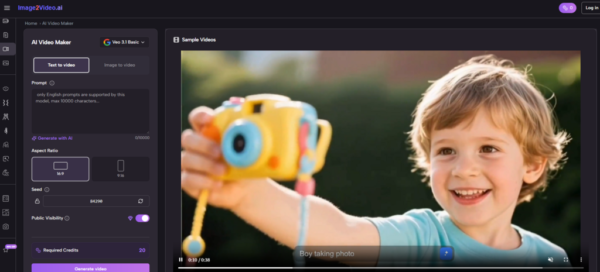
At its core, the workflow is straightforward. You upload an image, describe the motion you want, wait while the system processes the request, and then download the finished video. The official flow is simple enough that the platform feels designed for people who want output quickly rather than those who want frame-by-frame control.
From a user perspective, the logic is easy to understand: the image provides the visual base, and the prompt acts as a direction for movement, camera behavior, or atmosphere. In my reading of the platform’s positioning, it is best approached as a motion interpretation tool rather than a full editing suite. You are not building every detail manually. You are giving the model a source and a request, then judging whether the result matches your intent.
The Input Is Simple But Not Trivial
Uploading a picture sounds easy, but the image still matters. Clear subjects, readable composition, and a usable focal point tend to create stronger motion outcomes. A crowded or low-quality source image gives the model less visual clarity to work with.
The Prompt Becomes A Motion Brief
The text prompt is where creative intent enters. Instead of writing long cinematic prose, a user often benefits from clear directional language: slow camera push, wind moving hair, subject turns slightly, city lights flicker, water ripples gently. Concise instructions usually work better than vague enthusiasm.
The Output Focuses On A Short Result
The platform presents the result as a downloadable short video, typically in MP4 format. That makes the output immediately usable for sharing, testing, or embedding into a broader content workflow.
What The Official Creation Flow Tells Us
The public workflow shown on the site can be understood in three practical steps. This simplicity is important because it reveals what the product wants to be: fast, accessible, and usable without much setup.
Step One Upload A Suitable Source Image
The process begins with an uploaded image, with common formats such as JPEG, PNG, and JPG supported. This is the visual foundation for everything that follows, so the best starting point is usually a subject that is already visually clear before motion is added.
Step Two Describe The Intended Motion
After upload, the user enters a prompt describing what should happen in the scene. This is where the platform shifts from being a file converter to being a creative tool. The prompt is not just decoration. It tells the model how to imagine the image in motion.
Step Three Wait For Generation And Export
The system processes the request and returns a short video that can be downloaded or shared. That pacing matters because it keeps the platform aligned with quick-turn content creation rather than heavyweight post-production.
Where Photo To Video Becomes Most Useful
Not every use case needs complex animation. In many real scenarios, users just want to create a sense of life from a static visual. That is why Photo to Video can be more practical than it first sounds. It is less about replacing filmmaking and more about extending the usefulness of existing visual assets.
Product Images Gain More Presence
A product image already communicates shape, color, and material. With motion, it can also suggest experience. A slow rotation-like effect, a mild zoom, or environmental movement can make a listing or ad feel more alive without requiring a physical video shoot.
Portraits Feel More Human
When a portrait receives subtle movement, the emotional effect changes immediately. Hair motion, camera drift, or a small expression cue can turn a polished image into something closer to a moment than a pose.
Old Images Gain Renewed Relevance
Animated historical or personal photos have a different purpose. They are not always about polish. Often they are about emotional closeness. A short motion effect can make an old image feel newly present.
How The Broader Toolset Expands Its Role
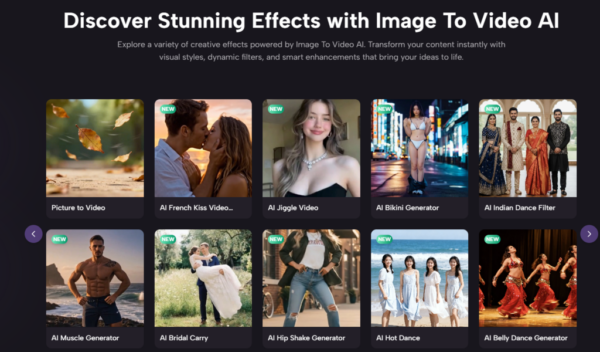
The platform is not positioned only as a single image-to-video page. It also presents related entry points such as text-to-video, text-to-image, and image-to-image, along with themed generators for specific scenarios. That matters because it suggests a broader ecosystem rather than a one-purpose utility.
For users, this broad structure offers a practical advantage. One project may begin with an image and later require variations, alternate visual styles, or new clips. A broader AI media platform can reduce the need to move between too many separate tools.
Specialized Templates Reduce Friction
Preset-style experiences for dance, hug, kiss, fight, or old-photo animation indicate a second product philosophy: some users do not want to invent a motion concept from scratch. They want a recognizable effect fast. Template-like routes can serve that need.
Model Branding Signals A Wider Ambition
The presence of multiple model names and generation paths suggests the platform wants to be seen as an access point to several AI visual capabilities. For users, that can be useful, though it is still wise to judge by output quality and consistency rather than by model labels alone.
What Feels Strongest In Real Use
The most convincing part of the platform is not that it promises cinematic perfection. It is that it makes motion accessible enough to try. That distinction matters. In my view, the strongest value appears when the goal is fast visual enhancement, concept testing, or lightweight storytelling.
| Aspect | What It Offers | Why It Matters |
| Input method | Static image plus text prompt | Keeps the workflow simple |
| Output format | Short downloadable video | Easy to reuse across channels |
| Skill requirement | Low technical barrier | Useful for non-editors |
| Workflow length | A few direct steps | Fits quick production cycles |
| Best use cases | Social media, product visuals, portraits, memory clips | Matches common creator needs |
| Main limitation | Results depend on source image and prompt clarity | Requires iteration |
Speed Helps Exploration More Than Perfection
A fast workflow encourages experimentation. Users can test one image with multiple prompt ideas and compare the emotional difference. That is often more valuable than spending hours editing one result.
Accessibility Broadens The User Base
Because the workflow stays browser-based and direct, the platform is approachable for people who would never open advanced video software. That alone expands who can participate in visual storytelling.
Where Users Should Stay Realistic
The platform becomes more useful when approached with measured expectations. AI motion generation can look persuasive, but it does not automatically solve composition, storytelling, or taste. Those still come from the user.
Prompt Quality Still Shapes The Result
A vague instruction usually leads to a vague clip. Better prompts tend to describe camera movement, subject motion, and atmosphere with more precision. Good outcomes are often less about creativity in the abstract and more about clarity.
Some Images Resist Convincing Motion
Images with weak structure, confusing subjects, or poor lighting may not transform well. The tool can animate, but it cannot always rescue a bad base image.
Iteration Is Part Of The Workflow
This matters for anyone expecting one-click certainty. A successful result may require multiple generations, prompt refinement, or a different source image. That is normal, not a failure.
Why Image to Video Fits A Larger Shift
The rise of Image to Video points to a broader transition in creative work. The value is no longer only in producing media from scratch. It is increasingly in reactivating existing assets. A photo, poster, illustration, or product image can now become a moving scene with a much smaller production burden than before.
That shift changes who gets to experiment. It gives small teams more publishing flexibility. It gives individuals a way to test visual ideas quickly. It also changes the role of the still image itself. Instead of being an endpoint, the image becomes a starting layer for motion.
How This Tool Matters Beyond Convenience
The deeper significance of a platform like this is not just that it saves time. It changes creative sequencing. A user can begin with one frame, imagine motion through language, and receive a usable video output without crossing into traditional animation workflows. That is a meaningful change in how digital storytelling gets made.
A Single Image Can Now Act Like A Scene
This is the real conceptual leap. The still image is no longer only a record. It becomes material for transformation. Once that becomes normal, visual production starts to feel less divided between image creators and video creators.
Small Creators Gain More Testing Power
A solo creator can try multiple directions from the same source image, compare styles, and learn quickly what resonates. That ability to test is often more valuable than the promise of a flawless first render.
In that sense, the platform is most useful when seen not as a magical replacement for editing, but as a practical bridge between static visuals and lightweight motion storytelling. That is a narrower claim, but it is also the more credible one.