
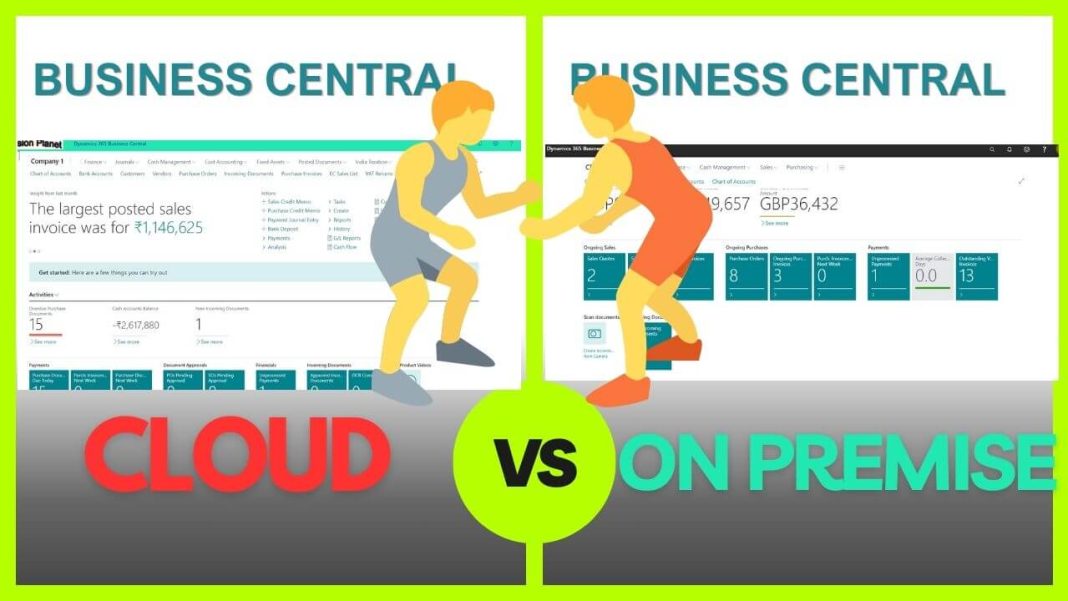
Business management software is much like a challenging maze, especially when you have multiple potential options that affect your entire operation. One key decision for companies considering Microsoft Dynamics 365 Business Central is whether to opt for the cloud-based version or proceed with on-premises installations.
Both offer strong abilities to make their finance, sales, service, and operations effective. But they differ in terms of deployment, cost, maintenance, and access.
So, how do you choose? In this blog, we will highlight the significant differences between Microsoft Dynamics 365 Business Central cloud and on-premises, examining the advantages and disadvantages of each platform from the perspective of a Microsoft Dynamics 365 Business Central consultant.
What is Microsoft Dynamics 365 Business Central?
For enterprises, Microsoft Dynamics 365 Business Central is a comprehensive enterprise resource planning (ERP) solution. It helps companies manage primary commercial functions such as:
- Finance and Accounting
- Sales and customer service
- Purchase and inventory
- Project management
- Manufacturing and operation
It is part of the Microsoft Dynamics 365 suite and is a cloud-based growth of Dynamics NAV, a popular ERP system that has been serving businesses for decades.
It can be deployed in two main ways:
- Cloud (SaaS): Hosted on Microsoft Azure and managed by Microsoft.
- On-Premise: Installed and managed on your own or a third party’s servers.
Business Central Cloud vs. On-Premise: Key Differences
Let’s explore the nuances of Dynamics 365 Business Central for enterprise, comparing on-premises and cloud-based solutions. From cost and deployment to adaptation and compliance, enabling you to make the right choice.
1. Deployment & Infrastructure
| Cloud | On-Premise |
| Hosted on Microsoft Azure (SaaS) | Installed on your hardware or hosted servers |
| There is no infrastructure to maintain | Requires physical or virtual servers |
| Microsoft handles setup and scaling | The internal or third-party IT team is required |
2. Cost & Licensing
| Cloud | On-Premise |
| Subscription-based (monthly or annual) | Perpetual licensing (one-time fee) plus annual maintenance |
| Lower upfront cost (OpEx model) | Higher upfront cost (CapEx model) |
| Pay per user per month | Purchase licenses outright, with optional upgrades |
3. Maintenance & Updates
| Cloud | On-Premise |
| Microsoft manages automatic updates | Manual updates by internal or external IT teams |
| Always on the latest version | You control update timing and frequency |
| Reduced IT workload | The IT team must plan, test, and apply updates |
4. Access & Mobility
| Cloud | On-Premise |
| Accessible from anywhere with internet | Typically requires a VPN or remote desktop |
| Works on browsers, mobile apps, and tablets | May need configuration for remote/mobile access |
| Ideal for remote and hybrid workforces | Suited for office-based environments |
5. Data Backup & Disaster Recovery
| Cloud | On-Premise |
| Automatic daily backups by Microsoft | You are responsible for backup and recovery processes |
| Built-in disaster recovery | It requires custom solutions and IT oversight |
| High availability | Downtime depends on your infrastructure reliability |
6. Security & Compliance
| Cloud | On-Premise |
| Microsoft-managed security (Azure-grade protection) | You control and manage all security layers |
| Compliance with global standards (GDPR, ISO, SOC) | You must ensure compliance manually |
| Multi-factor authentication and encryption are built in | It requires additional tools or setup |
7. Customization & Development
| Cloud | On-Premise |
| Supports AL extensions (sandboxed and upgrade-safe) | Supports AL and legacy C/AL customizations |
| Safer upgrades but more limited deep customization | Complete control over code and database |
| Customizations must follow Microsoft’s extension model | Deep backend customizations are possible |
8. Performance & Scalability
| Cloud | On-Premise |
| Automatically scales with user growth or usage spikes | Scaling requires investment in new hardware |
| Microsoft optimizes and monitors server performance | You manage and optimize performance internally |
| Suitable for fast-growing companies | Best for stable environments with predictable needs |
9. Integration Capabilities
| Cloud | On-Premise |
| Seamless integration with Microsoft 365,
Power Platform and Teams |
Easier integration with legacy systems and in-house tools |
| AppSource marketplace access | Broader flexibility for local custom integrations |
| API-first architecture | Full backend database access is available |
Cloud vs. On-Premise: Key Factors to Consider
Let’s break down the key factors that help you measure the impact when comparing Business Central Cloud vs. on-premises for your organization’s goals, budget, and infrastructure.
1. Budget and cost structure
Choose the Cloud if you prefer a low upfront cost and approximate monthly expenses. It is an operational expenditure (OPEX) model.
If you are comfortable with a high initial investment in exchange for long-term ownership of software and infrastructure, then a Business Central on-premises approach is a suitable option.
Tip: Cloud is more cost-effective for companies without an existing IT infrastructure.
2. IT resources and maintenance
Choose the Cloud if you don’t want to manage a server, perform backups, or upgrade. Microsoft handles all infrastructure and updates.
But when you have a competent IT team that can manage hardware, install updates, and monitor system performance, then consider an on-premises solution.
Tip: Cloud reduces the workload; The on-premises provides more control but demands more effort.
3. Need adaptation
If you require standard functionality with minimal custom development, opt for the Cloud. The extensions are upgraded but are somewhat limited.
If your business depends on deep adaptation, heritage system integration, or direct database access, then choose on-premise.
Tip: On-premises solutions allow for complete code access, making them ideal for complex or specialized workflows.
4. Mobility and remote access
Choose Business Central Cloud if you need remote teams or field workers to access data from anywhere.
If your team primarily works on-site and you have VPN or remote desktop tools, choose the on-premises option.
Tip: Cloud is designed for a modern, mobile-first task force.
5. Scalability
Choose the Cloud if you are growing rapidly and require a solution that can scale quickly without a hardware upgrade.
If your commercial growth is stable or you have specific infrastructure control requirements, consider on-premises solutions.
Tip: Cloud makes it easy to add and expand functionality on the go.
6. Compliance and data residence
If Microsoft’s global compliance certificate meets your industry requirements, choose the Cloud.
If you need to host data locally due to strict legal, government, or industry regulations, choose an on-premises solution.
Tip: Some industries (e.g., government contractors, healthcare) require on-premises data residency for specific reasons.
7. Updated strategy
If you want to stay on the latest version with always automated updates, choose the Cloud.
Although you must apply the update to Business Central on-premises, you have complete control over it.
Tip: Cloud ensures that you benefit from the latest features without having to do so manually. The on-premises option allows you to delay the update for stability.
What If Your Business Requires Cloud Flexibility With On-Premises Control?
Hybrid option – Can’t decide? Microsoft offers a hybrid SaaS model (also known as Business Central on Azure). It allows you to host on Microsoft Azure while maintaining control on-dimes-like control. It can be a great middle ground for businesses with mixed requirements.
Wrapping Up
There is no one-size-fits-all solution when choosing between Microsoft Business Central Cloud and on-premises solutions. It is a calculated approach that should align with your company’s current requirements, long-term goals, and, most importantly, the operating environment in which you operate.
Ultimately, the correct purpose depends on your specific business requirements, industry requirements, and IT capabilities.
Are you still weighing your options? An expert Microsoft Dynamics 365 partner, such as Aegis, can help you assess your goals. They recommend a solution between Business Central Cloud vs. on-premises that supports your growth plans and operating models.
Whichever path you choose, Business Central provides equipment and insights to enable informed decisions and streamline your business to its ultimate goal.