
Introduction
Creators store valuable information in podcasts, interviews, voice recordings, webinars, tutorials, and videos. Finding one useful idea inside a long recording requires replaying sections repeatedly. A transcript makes spoken information easier to scan, search, edit, and reuse. Many creators convert audio to text as part of their content workflow. Written speech supports subtitles, articles, social media posts, notes, and other content formats.
Clideo provides an online audio-to-text converter that simplifies transcription. Users upload a supported recording through a browser instead of manually typing every sentence. After processing, the resulting text saves as a TXT or SRT file. The service benefits creators who want to manage audio and video projects without installing complicated software.
Why Convert Audio to Text?
Audio gives creators a natural way to share ideas, yet turning spoken words into written content makes those ideas much easier to review. A long podcast, interview, or lecture contains only a few sections that creators actually need. Transcription eliminates repetitive replaying by making relevant sections easy to find through scanning. This approach proves useful for research, editing, content planning, and repurposing.
Text-based content makes audio information more accessible. A transcript allows people to read content when listening proves inconvenient, while subtitles help viewers follow videos with sound off. Clideo’s converter transforms recordings into written text and saves results in practical formats. A TXT file works for reading and editing, while an SRT file serves as a foundation for subtitles. Speech-to-text conversion becomes a helpful part of modern content workflows, especially for creators seeking more value from every recording.
How Clideo Makes Transcription Easier
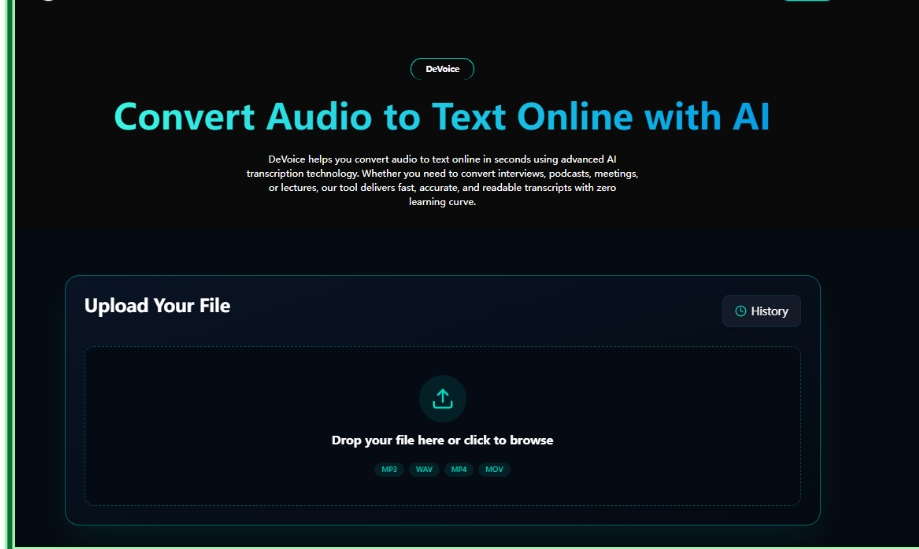
Clideo keeps the process straightforward. Users import an audio recording from a device or supported cloud storage through the file upload option. They also drag and drop files into the workspace. Clideo processes the recording and creates written text. Automated transcription reduces repetitive typing and lets creators focus on reviewing and developing ideas.
The converter supports common formats including MP3, WAV, M4A, and AAC. When processing completes, users download transcripts as TXT or SRT. Since Clideo runs online, creators access it through their preferred browser without worrying about software compatibility or large installations. Projects remain confidential during processing.
Repurpose One Recording Into More Content
A transcript turns one recording into several content opportunities. A podcast interview provides material for articles, social media captions, short videos, quotes, newsletters, or subtitles. Creators review the transcript, select strong ideas, and adapt them for different platforms. This strategy delivers more value from content they have already created.
Clideo supports this workflow through its collection of online creative tools. After creators convert audio to text, they work with subtitles, videos, translations, and other media projects. The platform includes a video editor, auto subtitle generator, video translator, audio translator, and video-to-text tools.
Create Better Subtitles From Transcripts
A transcript serves as an effective starting point for subtitles, yet creators should review it before publishing. Automatic transcription needs corrections when recordings contain background noise, multiple speakers, accents, names, or technical terms. Reading through the text allows creators to fix mistakes and make captions clearer. Human review improves the quality of final content.
Clideo includes a captions editor that lets users edit text, add or remove lines, and adjust font, size, color, and placement. These options help creators match subtitles to their videos. After editing, users save videos with embedded subtitles in MP4 or MOV formats. This connects transcription with the next stage of video creation.
Tips for a Smooth Workflow
Clear source audio makes transcription more useful. Creators should reduce background noise and ensure speech clarity when recording podcasts, interviews, tutorials, or voiceovers. After transcription, they check names, punctuation, technical language, and unclear phrases. Using automatic transcription as a first draft then reviewing it provides a practical balance between speed and accuracy.
Clideo fits naturally into this workflow because its audio and video features work together online. A creator uploads an audio file, generates text, downloads a file, edits captions, and continues creating video content. This means less manual transcription and more time for editing, storytelling, publishing, and connecting with audiences.
Conclusion
Converting audio to text gives creators a simple way to reuse valuable recordings. Podcasts, interviews, lectures, and videos become written material for subtitles, articles, social posts, and future projects. This saves time and makes spoken information easier to review and share.
Clideo makes this workflow convenient with its browser-based converter and creative tools. Users upload recordings, generate transcripts, and save them as files. They then edit subtitles, translate content, or continue working on videos. For creators seeking a simple online transcription solution, Clideo provides useful tools for turning spoken ideas into reusable creative assets.