
The release of GPT Image 2 has made one thing clearer: AI image generation is no longer only about making beautiful pictures from text. The more important shift is control. Creators want images that follow instructions, preserve visual intent, handle text better, and support real production workflows. That is exactly why an image to image workflow feels increasingly important for anyone who creates visuals for marketing, social media, products, or brand storytelling.
Instead of asking users to start from nothing, image-to-image creation begins with something concrete: a product photo, a portrait, a reference image, a campaign draft, or a visual idea that already exists. GPT Image 2 represents the broader direction of modern AI imaging: better editing, stronger image input understanding, more reliable output quality, and a smoother bridge between imagination and usable creative assets. Toimage AI fits naturally into this shift because its workflow is built around transforming existing images with prompts, models, and iterative refinement.

Why GPT Image 2 Matters For Creators
GPT Image 2 matters because it reflects where AI visual tools are heading. Earlier AI image generators often felt impressive but unpredictable. They could create beautiful scenes, yet they sometimes struggled with precise instructions, consistent design details, readable text, or practical editing needs.
The new generation of image models is different. The focus is moving from novelty to usefulness. For creators, that means the real question is no longer “Can AI make an image?” The better question is “Can AI help me revise, adapt, and repurpose a visual asset for a real goal?”
Image Editing Is Becoming More Intent Driven
Modern image models are becoming better at understanding what users actually want to change. This is important because creative work is rarely a single instruction. A user might want to keep the product shape, change the background, adjust the lighting, improve the style, and still preserve the original composition.
That kind of request is much closer to editing than simple generation. It requires the AI to understand both the uploaded image and the written direction.
The Best Workflow Starts With A Visual Anchor
A visual anchor makes the creative process more stable. When users upload an image, they give the AI a reference point that pure text cannot fully replace.
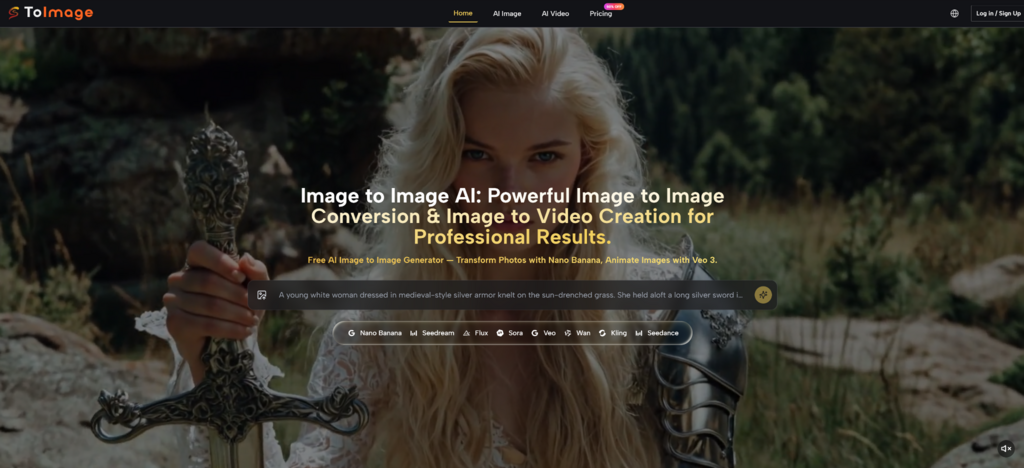
This is where Toimage AI becomes relevant. Its image-based workflow gives users a simple way to start from an existing picture and guide the transformation with language. That is the practical side of the GPT Image 2 era: better models matter, but users still need an approachable workflow to turn those capabilities into actual results.
How Toimage AI Fits This New Standard
Toimage AI is not just useful because it generates images. Its stronger value is that it helps users think in transformations. Instead of asking, “What should I create from zero?” the user can ask, “How can this image become more useful?”
That is a more realistic question for most creators. A seller already has product photos. A blogger already has reference images. A designer already has mood boards. A content creator already has portraits or thumbnails. The challenge is turning those assets into stronger versions.
Step One Start With A Clear Source Image
The workflow begins with uploading an image. This image can be a product shot, portrait, artwork, design reference, lifestyle photo, or creative draft.
The quality of the source image still matters. A sharp, readable image gives the AI more useful information. If the subject is hidden, blurry, or visually confusing, the final result may become less predictable.
Good Inputs Make AI More Reliable
This is one of the most important lessons from modern AI image editing. Strong models can do a lot, but they still benefit from clean input.
For example, if a brand wants to transform a product photo into a polished advertising visual, the product should be clearly visible in the original image. In an AI Image to Image workflow, if a creator wants to restyle a portrait, the face direction and main features should be easy to understand. AI can enhance and reinterpret, but the starting image still shapes the result.
Step Two Write A Purpose Driven Prompt
After uploading the image, the user describes what should change. This is where the prompt becomes creative direction.
A weak prompt might say, “make this better.” A stronger prompt would say, “turn this product photo into a clean premium studio advertising image with soft lighting, realistic shadows, and a minimal background.”

The Prompt Should Define Change And Continuity
The best image-to-image prompts usually explain two things: what should change and what should stay consistent.
For example, a user might want to keep the product shape while changing the scene. Or preserve the portrait composition while making the lighting more cinematic. Or turn a casual snapshot into a more editorial image without losing the subject’s natural feel.
This balance between continuity and transformation is exactly why image-to-image AI is becoming so valuable.
Step Three Generate And Compare Directions
Once the image and prompt are ready, the platform generates a new result. The user can then compare whether the output matches the intended direction.
This step should be seen as creative exploration, not just final production. A single source image can produce many possible versions: realistic, cinematic, minimal, illustrated, commercial, playful, or social-media-ready.
Iteration Is Where Better Results Appear
AI image creation works best when users refine. The first output shows how the model understands the request. The next version can be improved by adjusting the prompt, simplifying the instruction, or choosing a different visual direction.
This makes the workflow useful for creators who need speed but still care about quality.
Why Image To Image Is Stronger Than Text Alone
Text-to-image generation is powerful, but it often asks users to describe too much. If the user has a specific product, person, layout, or reference style in mind, text alone can become inefficient.
Image-to-image generation solves part of this problem by letting the uploaded image carry visual information. The user does not need to describe every detail because the image already contains composition, subject, shape, pose, and mood.
It Helps Preserve Real Creative Context
A reference image keeps the project grounded. This is especially useful for commercial and content workflows, where the final image needs to connect to an existing asset or brand idea.
For example, a business may not want a random new product image. It may want the same product presented in a more attractive way. A creator may not want a totally different portrait. They may want the same photo reimagined with a more cinematic or editorial feeling.
Creative Control Becomes More Accessible
Traditional editing tools require technical skill. Users need to understand layers, masks, lighting correction, retouching, composition, and file preparation.
Image-to-image AI lowers that barrier. Users can describe the outcome in normal language and use the uploaded image as the foundation. It does not replace expert design judgment, but it gives more people access to visual experimentation.
Where This Workflow Becomes Most Useful
The practical value of Toimage AI is strongest when users already have visual material but need new versions quickly. This is common in marketing, ecommerce, social media, and creator workflows.
GPT Image 2 also points toward this broader future: image models are becoming more useful for real creative tasks, not only impressive demos.
| Use Case | Why GPT Image 2 Era Matters | How Toimage AI Fits The Workflow |
| Product marketing | Better visual fidelity raises expectations | Turn product photos into stronger campaign visuals |
| Social media content | Creators need many variations quickly | Rework one image into multiple styles and moods |
| Portrait styling | Users want controlled atmosphere changes | Transform portraits while guiding mood and presentation |
| Brand assets | Consistency and clarity matter more | Use prompts to explore polished visual directions |
| Concept development | Fast iteration helps creative decisions | Generate variations from rough references |
| Image-to-video planning | Static visuals often become motion content | Extend images into animated creative workflows |
The Honest Limits Creators Should Understand
AI image tools are becoming stronger, but they are not perfect. Users should still review results carefully, especially when working with faces, product details, logos, readable text, hands, packaging, or brand-sensitive visuals.
This is not a weakness unique to one platform. It is part of the current reality of AI visual production. The best results usually come from clear source images, specific prompts, and careful human selection.
AI Helps Direction But Does Not Replace Judgment
A generated image may look impressive at first glance but still need review. The product might be slightly altered. A face might not be fully consistent. Text might need checking. A background may look beautiful but not match the brand.
That is why creators should treat AI outputs as fast creative drafts rather than blindly accepted final assets.
The Human Role Becomes More Strategic
The user’s role is shifting from manual editing to creative direction. Instead of spending all the time pushing pixels, the user decides what visual direction matters, which output is strongest, and whether the result is suitable for publishing.
This is a better use of human judgment, especially for small teams that need professional-looking visuals without a large production budget.

A Practical Bridge Into The GPT Image 2 Era
GPT Image 2 shows that AI image generation is moving toward higher-quality, more controllable, more production-ready visual creation. But powerful models alone are not enough. Users also need workflows that make those capabilities easy to apply.
Toimage AI fits this moment by focusing on image-based transformation. It gives creators a practical way to upload a source image, describe a desired change, generate new versions, and keep refining until the result feels useful.
For marketers, creators, ecommerce sellers, and small teams, that is the real promise of modern image AI. It is not just about generating something impressive once. It is about turning existing visual assets into more flexible, polished, and publishable creative material.
As image models continue improving, the winners will likely be the tools that make advanced generation feel simple, visual, and repeatable. Toimage AI is positioned around that exact workflow: start with an image, guide the change, and create a better version without needing to rebuild everything from scratch.