
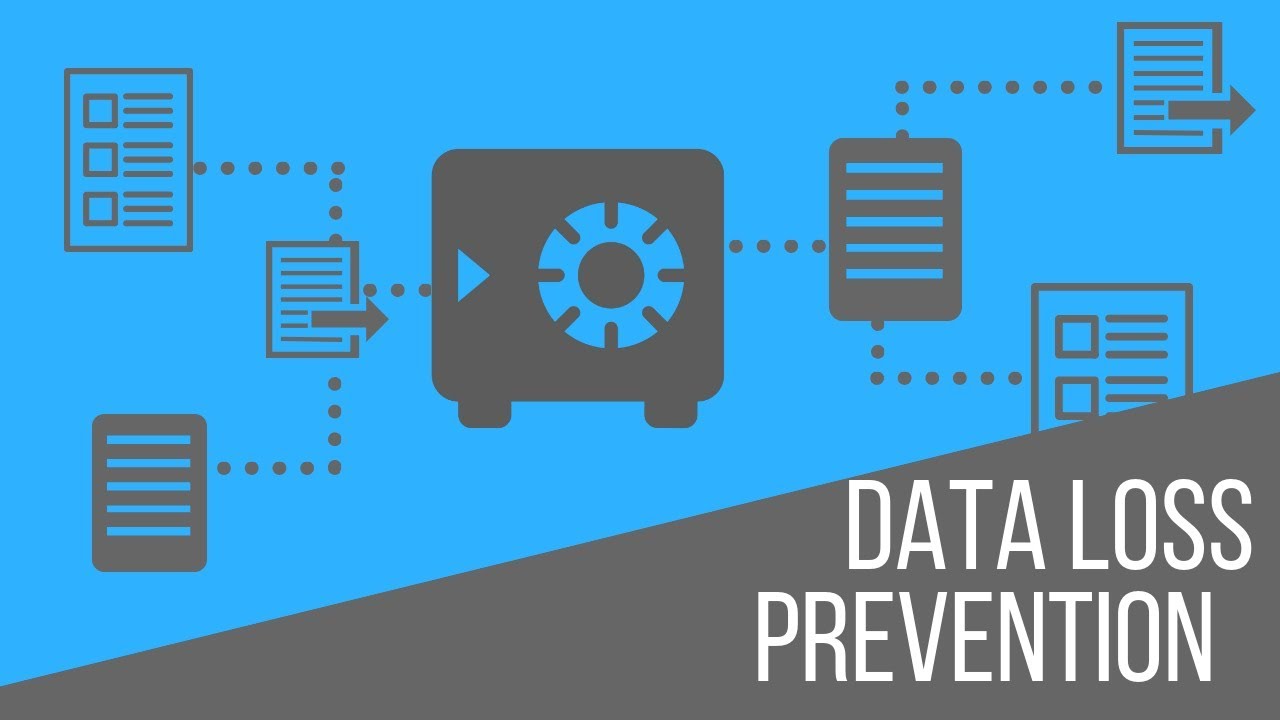
Are you worried about data loss due to power failures in your workspace? Unreliable setups can disrupt your work and erase critical files, costing time and money.
Investing in a reliable power system is essential. Protect your equipment and ensure uninterrupted productivity with the right solutions.
For expert help in Melbourne, visit www.thelocalelectrician.com.au to secure your workspace with professional electrical setups today.
Common Causes of Data Loss
Ever wondered why data loss happens so often? Let’s dive into the top reasons your critical files might vanish and how to spot the risks early.
-
Human Error: Accidentally deleting files or overwriting documents is a leading cause. A single click can erase months of work without proper safeguards.
-
Hardware Failure: Hard drives can crash due to age or damage. Clicking noises or slow performance often signal trouble before total data loss occurs.
-
Viruses and Malware: Cyberattacks can corrupt or delete files. Ransomware, in particular, locks data away, leaving your workspace vulnerable without strong defenses.
-
File Corruption: Software glitches can render files unreadable. This sneaky issue often goes unnoticed until you desperately need that critical document.
-
Natural Disasters: Floods or fires can destroy physical hardware. Without off-site backups, your data could be gone in an instant during such events.
Understanding these causes is the first step. By recognizing where threats lurk, you’re better equipped to protect your workspace from devastating data loss scenarios.
Effective Backup Strategies
Setting up backups might seem tedious, but it’s your safety net. Let’s explore how to ensure your data stays secure with reliable strategies.
-
Automate Daily Backups: Tools like Backupify or Spanning can save your Google Workspace data daily. Automation prevents forgetting this critical task.
-
Use Multiple Solutions: Combine cloud and local backups for redundancy. If one fails, another can step in to save your files.
-
Schedule Regular Tests: Test restores monthly to confirm backups work. A broken backup is as bad as having none at all.
-
Choose Trusted Providers: Opt for solutions with strong reviews, like Afi.ai. Research ensures you’re investing in reliable data protection tools.
Implementing these strategies keeps your data safe. Check out more on backup solutions at Zenphi’s guide to find the best fit for your needs.
Protecting Hardware from Damage
Hardware damage can wipe out your data instantly. Taking steps to shield your equipment from harm is crucial for a secure workspace.
Secure Storage Areas
Store devices in dry, cool places. Avoid moisture or extreme heat, as these can degrade hardware and lead to sudden failures.
Avoid Physical Impact
Keep equipment stable and secure. A dropped laptop or bumped server can result in catastrophic data loss if drives are damaged.
Guard Against Electrical Risks
Use proper guarding around electrical components. Ensure 36-48 inches of clearance to prevent shocks that could fry your hardware unexpectedly.
Ventilation Matters
Ensure cabinets have clear vents for airflow. Overheating due to blocked ventilation can shorten hardware life and risk data loss.
Importance of Battery Backup
Power outages can strike without warning, halting work and risking data. A battery backup, or UPS, is your defense against such disruptions.
Uninterrupted Power Supply
A UPS keeps systems running during outages. It gives you time to save files and shut down safely, preventing sudden data loss.
Protection from Surges
Battery backups shield against power spikes. They sense anomalies and switch to alternate power, safeguarding your hardware from electrical damage.
Ensuring Continuity
With a UPS, your workspace maintains productivity. Even during long outages, critical operations can continue without losing unsaved work or data.
Cost-Effective Investment
Though pricey upfront, a quality UPS lasts decades. It saves downtime costs, paying for itself by protecting your valuable data.
Implementing Strong Password Policies
Weak passwords invite hackers into your workspace. Crafting strong password rules is a simple yet powerful way to block unauthorized access.
Minimum Length Requirements
Set passwords to at least six characters. Longer passwords with varied characters make it tougher for cybercriminals to crack your accounts.
Mix Character Types
Require uppercase, lowercase, numbers, and symbols. This mix adds complexity, ensuring passwords aren’t easily guessed by malicious software or hackers.
Restrict Common Words
Ban usernames or simple terms in passwords. Avoid predictable words like “welcome” to prevent easy breaches into your critical systems.
Regular Password Updates
Encourage changing passwords periodically. Fresh passwords reduce the risk of long-term exposure if a breach goes undetected for months.
Keeping Software Updates Current
Outdated software is a gateway for data loss. Staying on top of updates patches vulnerabilities and keeps your workspace secure from threats.
-
Enable Automatic Updates: Configure systems to update automatically. This ensures you’re always protected without manually checking for new patches.
-
Monitor Update Status: Use tools like Configuration Manager to track updates. Knowing what’s installed helps spot gaps in your security.
-
Address Compliance Issues: Regularly review compliance reports. Non-compliant devices are at risk, so fix them before they’re exploited.
-
Act on Alerts: Set alerts for update failures. Immediate action on these notifications prevents prolonged exposure to potential cyber threats.
Staying updated isn’t optional; it’s essential. For deeper insights, explore Spin.AI’s tips on securing your digital workspace effectively.
Using Cloud Storage Solutions
Cloud storage offers a lifeline for data protection. It’s a scalable, accessible way to keep files safe from local hardware failures or disasters.
Automatic Backups
Cloud solutions like Google Workspace save data in real-time. This means no manual backups and less risk of losing unsaved work.
Access Control
Set strict permissions on cloud accounts. Limit who can view or edit files to prevent accidental deletions or unauthorized data access.
Firewall Integration
Enable firewall support for cloud storage. Restricting access to authorized networks adds a layer of security against external cyber threats.
Scalable Recovery Options
Cloud systems allow quick data recovery. Whether it’s a single file or entire workspace, restoration is often just a few clicks away.
Setting Up Reliable Firewalls
Firewalls are your first line of defense against cyber threats. Setting up a robust system can prevent data loss from malicious intrusions.
-
Restrict Network Access: Configure firewalls to block unauthorized connections. Only trusted networks should access your workspace data and systems.
-
Monitor Traffic: Regularly check incoming and outgoing data. Unusual activity could signal a breach, allowing quick response to threats.
-
Update Firewall Rules: Keep firewall settings current with evolving threats. Regular updates ensure new attack methods are blocked effectively.
-
Use Private Endpoints: For cloud integrations, employ private endpoints. This limits public access, reducing the risk of external attacks significantly.
Installing and maintaining firewalls is non-negotiable. A strong barrier between your data and hackers can save you from costly breaches.
Secure Your Data Now
Take control of your workspace’s safety today. Prevent data loss by implementing reliable power setups and robust security measures. For expert electrical solutions in Melbourne, visit The Local Electrician to ensure your systems are protected. Act now to safeguard your valuable information!